Physical Address
124 City Road, London EC1V 2NX
Physical Address
124 City Road, London EC1V 2NX
You made a free checklist. You wrote a blog post to go with it. Then someone told you that you need a landing page.
So you looked it up. Now there are squeeze pages, bridge pages, opt-in pages, sales pages and funnels. There is a page builder with two hundred templates, and every one of them has a countdown timer.
All I wanted was to share a checklist.
This guide answers the question underneath all of that: what is a landing page, what does it actually do, and what does a beginner really need to build one? The answer is much smaller than the internet makes it look.
✅ Quick Answer: A landing page is a single web page built to help a visitor take one main action, like joining your email list to get a free resource. Unlike a normal website page, it has one purpose and one clear next step. A beginner’s first landing page can be very simple, as long as it is clear.
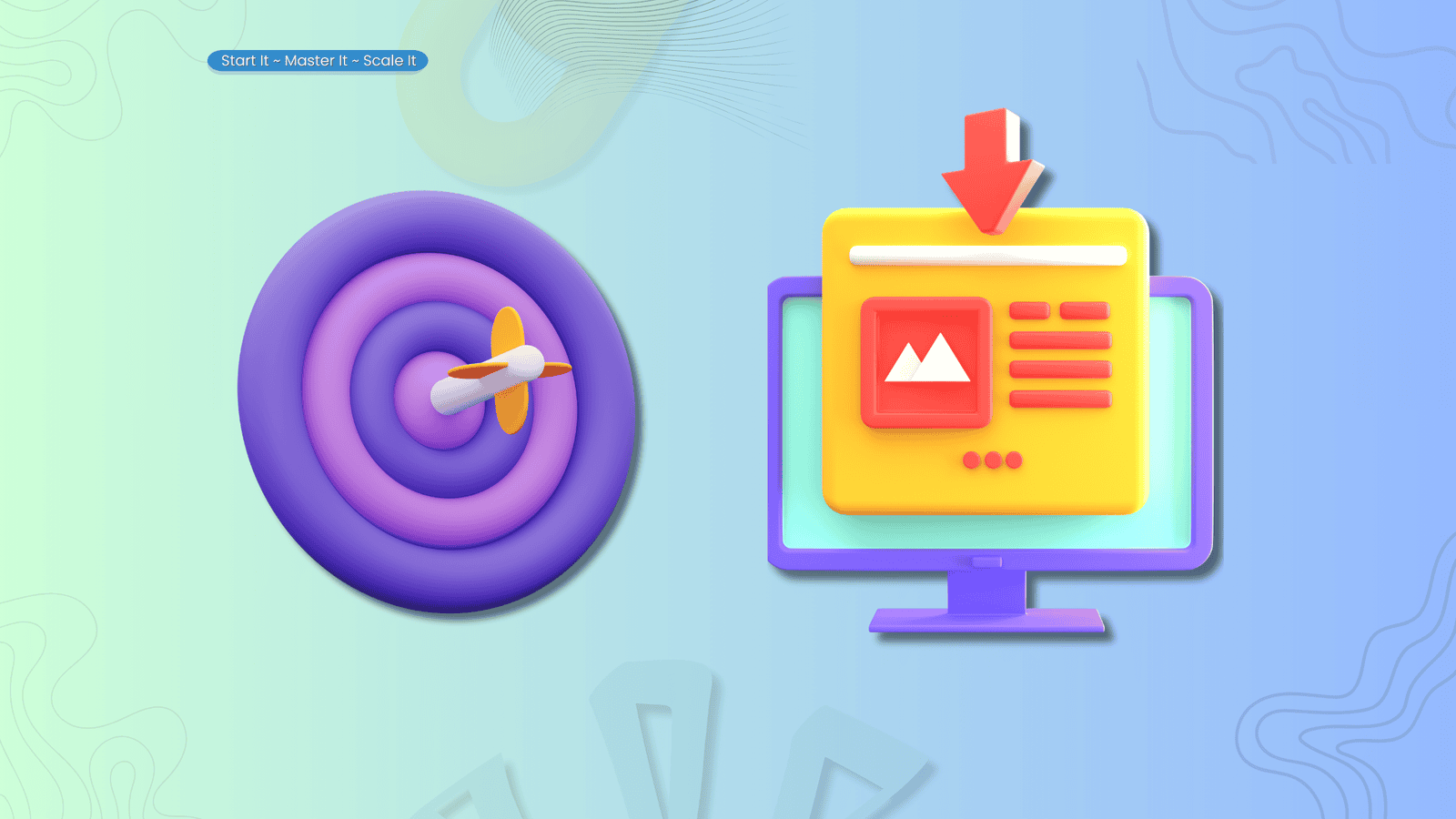
A landing page is one web page with one job.
It is the page someone “lands” on after they click something: a link in your blog post, a button in a social post, a link in an email or in a video description. Everything on that page is there to help them decide whether to take one specific action.
For most beginners, that action is joining an email list in exchange for something free and useful. But it can be other things too:
The action changes. The idea doesn’t. One page, one clear next step.
That is really all a landing page is. The rest, the names and the templates, is detail you can learn later or never.
This is where most of the confusion starts, so it is worth getting straight.
A normal website is built for browsing. It has a menu, a homepage, several topics, a blog, an about page and plenty of places to wander off to. That is exactly what a website should do. People come to look around.
A landing page is built for deciding. It usually strips away the menu and the side links, because its job is not to show someone everything you do. Its job is to help them with one thing.
Think of your website as the whole house. A landing page is one room with one door you are hoping they walk through. You are not locking the other doors. You are just not pointing at all of them at once.
A homepage is not a landing page either. Your homepage introduces the whole site and points in lots of directions. A landing page points in one. In fact, plenty of your visitors may never see your homepage at all, because a blog post or a Pinterest pin sends them straight to a specific landing page instead.
A link-in-bio page isn’t a landing page either. Tools like Linktree give you one link for your social profile that opens a menu of other links. That’s handy for pointing people around. But a menu asks the visitor to choose, and a landing page asks them to do one thing. If your goal is getting people onto your email list, send them straight to the sign-up page rather than making it one button among six.
And here is the part that surprises people: you don’t always need a website to have a landing page. Many email and page-building platforms will host a single landing page for you. The page matters more than where it lives.
You will see a lot of labels for landing pages. They sound like different things. Mostly they are the same idea with a different job.
Opt-in page. Asks someone to join your email list, and usually gives them something free for doing it. This is the one most beginners need first.
Squeeze page. A very short opt-in page with almost nothing on it except the offer and the form. The name is off-putting, but the idea is simply focus. What Is a Squeeze Page?
Lead capture page. Another name for a page that collects contact details. In practice, much the same as an opt-in page.
Bridge page. Sits between the visitor and somewhere else, often an affiliate product. It explains your recommendation honestly before they click through, so they arrive knowing what to expect.
Sales page. Explains and sells something paid. Usually longer, because a paying customer has more to think about.
Thank-you page. The page someone sees right after they sign up or buy. It confirms what just happened and tells them what to do next. It is easy to forget, and it matters more than people think.
Here is the honest shortcut. Don’t start with the name. Start with the job. Ask what you want this page to help someone do. The right label follows from that, and nobody visiting your page will care what you called it.
When you are new, it can feel like a landing page is something for “later”, once you have traffic and products.
It is actually the opposite. A landing page is what makes your early content useful.
Without one, someone reads your blog post, enjoys it and leaves. You never hear from them again. With one, the same reader has somewhere to go next. They can pick up the free resource that goes deeper, join your list and hear from you when you publish something new.
That is the whole connection between your content and your email list. The post does the helping. The landing page gives the helped person a next step. If you are building an email list, how to build an email list as a beginner covers the wider picture, and what a lead magnet is explains the free resource that usually sits on the page.
One thing a landing page will not do on its own: make people trust you. Trust comes from your content and whether the free thing is actually good. The page just gives all of that somewhere to land.
Less than you think. A simple opt-in page, the kind most beginners need first, can work with just a few parts.
This infographic shows the simple structure from top to bottom:
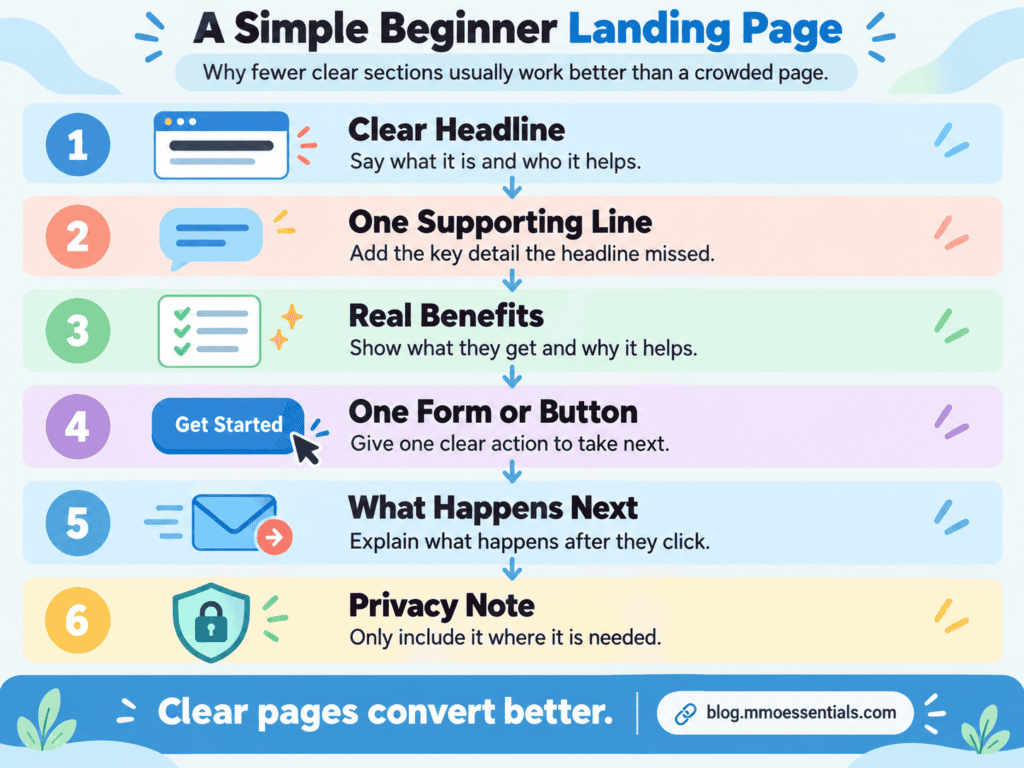
A few things to know about each part.
The headline can be quiet. What it can’t be is vague. If someone can read it and know what the page offers and who it’s for, it’s doing its job. One person who spent weeks giving founders feedback on their landing pages kept finding the same problem: the product might be good, but the reader doesn’t understand the value fast enough.
Benefits beat features. “A one-page planning worksheet” is a feature. “Know exactly what goes on your page, so the page builder stops being scary” is the benefit. Readers care about the second one.
Your button should say what happens. “Get the Free Checklist” tells someone exactly what they are agreeing to. “Submit” tells them nothing.
Say what happens after the button. Will they get an email? Will the resource download straight away? A visitor who knows what’s coming is far more comfortable clicking.
Longer pages can add more: who the resource is for, a preview, a short introduction to you, a few questions and answers, real testimonials once you have them. But every extra section should earn its place. A template including a section is not a reason to keep it.
In my free Landing Page Foundations workbook, I break the whole process into nine stages, from choosing the purpose through to improving the page after it goes live. I call it the CLEAR PAGE Method. The full walkthrough, with the planning pages, lives in the workbook. The short version is the order: decide what the page is for and who it’s for before you ever pick a template.
You have used dozens of landing pages without thinking about it. A few everyday examples make the idea click.
The free checklist page. You click a link in a blog post. You land on a page with a headline about a free checklist, a few bullet points about what’s inside, a line about what happens next and an email box. That’s an opt-in page, and it’s the most common landing page on the internet.
The event sign-up. Someone mentions a free online workshop. The link takes you to a page with the date, what you’ll learn, how long it runs and a “Save my seat” button. One page, one action.
The honest review page. Before recommending a tool, a creator sends you to a page that explains what it does and who it’s really for (and who it isn’t), then links to it. That’s a bridge page, and when it’s done honestly it saves the reader a lot of guesswork.
The “you’re in” page. You sign up for something and immediately see a page that says “Check your inbox, it’s on its way.” That’s a thank-you page, and it’s a landing page too.
And one you can look at right now: when you click through to get one of my free workbooks, the page you arrive on is a landing page. It shows you what the workbook covers and lets you start reading. Then it asks for one thing, your email, if you want to carry on. Landing Page Examples for Beginners
A lot of landing page advice leans hard on pressure. Countdown timers that reset every time you visit. “Only 3 spots left!” on a free PDF. Testimonials from people who don’t exist. A free checklist “worth $497.”
You don’t need any of that, and you’re better off without it.
A landing page should be focused, and focus is a good thing. It means taking away anything that distracts from the one message. But pressure is different. Pressure tries to rush someone past their own judgement. It might get a sign-up today, and it teaches that person not to trust you tomorrow.
When you don’t have proof yet, and nobody does at the start, you build trust with clarity instead. Say what the free resource is and who it’s for. Then make sure what arrives in their inbox matches what the page promised. That’s it. It works better than people expect, because honest pages are rarer than they should be.
🚫 Opening the page builder first. Fix: decide the purpose, the person, the offer and the next step before you look at a single template.
🚫 Trying to speak to everyone. Fix: write the page for one kind of person with one problem. The right visitor should read it and think, “This is for someone like me.”
🚫 Promising more than the offer can deliver. Fix: describe the real, useful result the resource supports. A good checklist doesn’t need to change anyone’s life.
🚫 Adding more sections when the message is unclear. Fix: if the page isn’t working, rewrite the headline and main message first. More content rarely fixes a confusing message.
🚫 Forgetting what happens after the form. Fix: sign up yourself before you share the page. Check that the email arrives and the resource works.
🚫 Changing everything at once. Fix: improve one thing at a time, so you know what actually made the difference.
You do not need every tool at once.
For MMO Essentials, I use Systeme.io for email campaigns, tags, workflows and follow-up, and it can host simple landing pages too. I also use LeadCreator for workbook-style lead magnets that connect nicely with my blog content. The workbook pages you land on from this blog are built with it.
Some tool links I share may be affiliate links, which means I may earn a commission if you choose to use them, at no extra cost to you. I only mention tools when they fit the beginner-friendly system I am explaining.
At MMO Essentials, my method is:
SMS: Start It → Master It → Scale It
Start It by building one simple opt-in page for one free resource you already have, or are about to make.
Master It by testing the whole path yourself and making one clear improvement at a time, starting with the headline.
Scale It by adding a second landing page only once the first one is connected, working and bringing people onto your list.
You do not need to automate everything at once. Start with the part that helps your reader most. Then build from there.
If you are new to MMO Essentials, you can read more about the beginner-friendly approach on my About page. You can also explore the full MMO Essentials Foundations Library if you want to choose your first free workbook.
A landing page is one page that helps one person take one clear next step. That’s it.
It doesn’t need to be clever. It doesn’t need a timer or a template with twelve sections. It needs to make sense to the person reading it, and it needs to work when they click the button.
Your first one will not be perfect. It doesn’t have to be. There’s a thread on Reddit right now simply titled Always Iterating Never Launching, with more than forty replies. Don’t let your landing page join it. A clear, honest page that’s live will teach you more in a week than a perfect one sitting in your drafts.
Start here if you are choosing where to begin: The MMO Essentials Foundations Library
Related reading:
👉 What Is a Lead Magnet? A Simple Guide for Beginners
👉 How to Build an Email List as a Beginner Without Tech Overwhelm
👉 What Happens After Someone Joins Your Email List?
🎁 This post explains what a landing page is. The free Landing Page Foundations workbook helps you plan and build your first one.
Start with the One-Page Landing Page Planner, which gets you clear on who the page is for and what happens after they sign up, before you touch a template. The Five-Second Clarity Check is the quick test to run on your draft, and the Full Path Test makes sure the form and the delivery email actually work. Then the 7-Day Build Plan takes you from Day 1, choosing the purpose, to Day 7, when your page goes live.
The whole workbook is free. You get a short preview on the page, then you add your email to carry on reading it. You can download the PDF as well if you would rather work through it offline.
Get the free Landing Page Foundations workbook →
No hype, no pressure, just the honest starting point most guides skip.
A landing page is used to help a visitor take one specific action. For most beginners that means joining an email list in exchange for a free resource. It can also be used to register people for an event or to sell something of your own.
A website has lots of pages, a menu and many possible places to click. A landing page is a single page built around one purpose and one next step. Your website is the whole house. A landing page is one room with one door you want people to walk through.
No. A homepage introduces your whole site and points people in several directions at once. A landing page is focused on one offer and one action. Plenty of visitors will never see your homepage at all, because a blog post or social post sends them straight to a landing page instead.
A squeeze page is a short landing page with one job: collecting an email address, usually in exchange for something free. The name sounds pushy, but the useful idea behind it is simply focus. Fewer distractions and one clear form.
Not always. Many email and page-building platforms let you host a standalone landing page without a website of your own. What matters more is that the page is clear about its one job and hands people on to the right next step.
Only as long as your visitor needs to make up their mind. A simple email sign-up page might only need a headline, a short explanation, a few benefits and a form. A page selling a paid product usually needs more, because the visitor has more to decide.